ProgeCAD Professional -
Familiar Interface
The ideal AutoCAD alternative for professionals looking for powerful 2D and 3D design software. With a familiar interface, there’s nothing new to learn for AutoCAD users. ProgeCAD resembles all AutoCAD® functions, allowing AutoCAD users to seamlessly switch to ProgeCAD without any extra charge.
Why Choose ProgeCAD as an ACAD Alternative?
- A familiar interface for AutoCAD® users
- Full 2D and 3D design capabilities
- Seamless switching between classic and ribbon interfaces
- Advanced tools for block management, dimensioning, and more
Toolpalettes
Streamline your design process with customizable tool palettes in ProgeCAD. Whether you’re working on 2D or 3D designs, access commands, blocks, and tools quickly. ProgeCAD provides the flexibility of an Online ACAD Alternative, allowing you to optimize your workflow and boost productivity.
Block Explorer
Manage 2D and 3D blocks efficiently with ProgeCAD’s Block Explorer. This feature is ideal for users transitioning from AutoCAD® and looking for an affordable ACAD alternative.
Dimension Style
Ensure accurate and consistent dimensions in both 2D and 3D designs. ProgeCAD’s dimension style customization is one of the many reasons why ProgeCAD is the preferred ACAD alternative for professionals in Malaysia.
Toolpalettes
Customizable panels that streamline access to commands, blocks, and tools. Allowing users to organize tools according to your needs, facilitating quicker execution of CAD tasks.
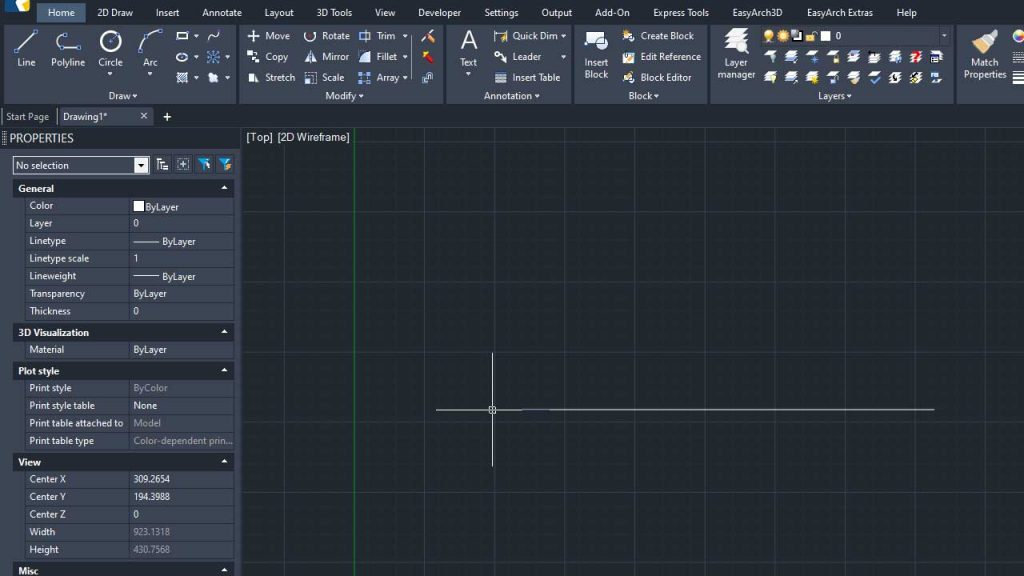
Ribbon Menu
The familiar Classic and Ribbon interfaces, allowing to seamlessly switch between them based on their preferences.

Dimension Style
Customize and apply consistent formatting to dimensions within drawings.

Block Explorer
Manage and manipulate blocks within drawings, providing comprehensive functionalities for viewing, creating, copying, and editing block references.

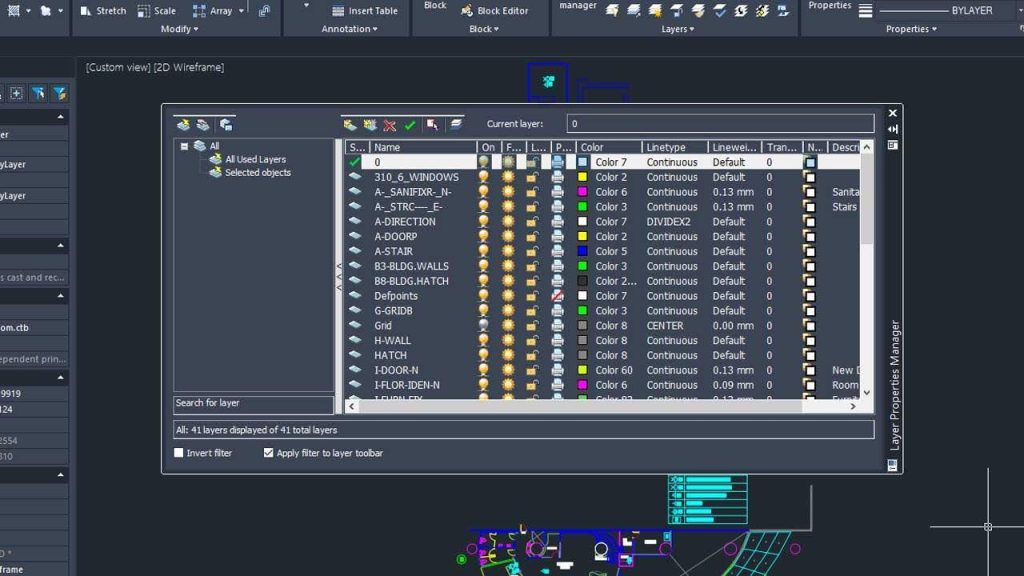
Layer Manager
Efficiently organize and manage drawing layers with comprehensive control over visibility, properties, and grouping in CAD projects.
Text Style Manager
Streamline the customization and management of text fonts and styles tailored to precise design needs in ProgeCAD projects.
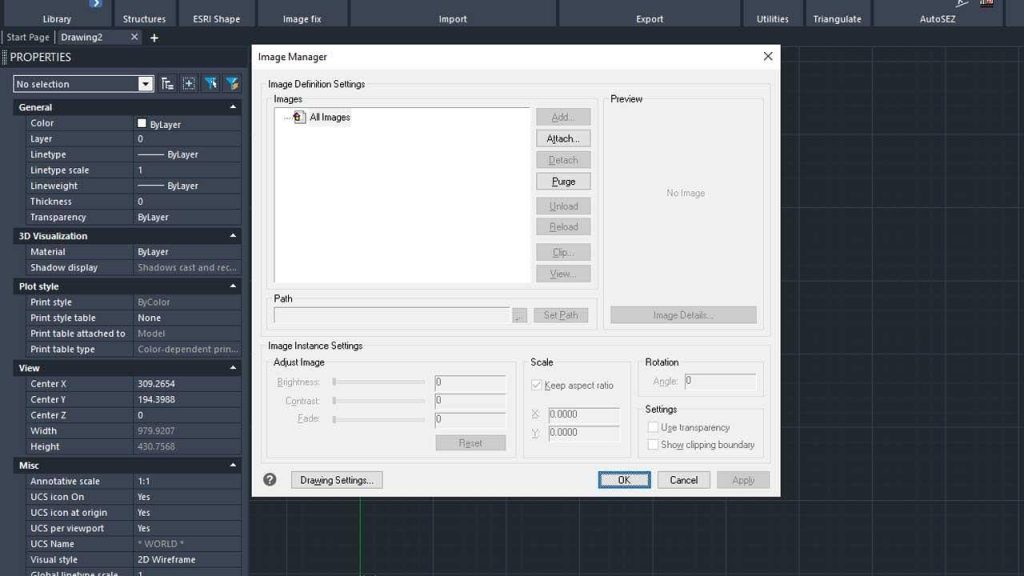
Image Manager
Allowing to attach, modify, and manage images within your drawings, including adjusting settings, paths, and visibility options
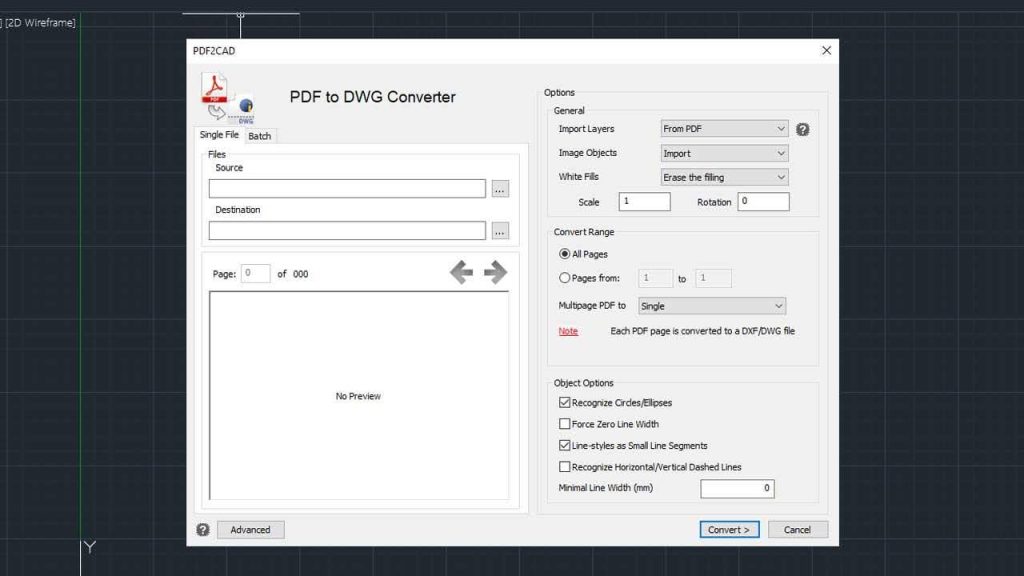
Option Settings
Efficiently transform PDF files into editable DWG format, facilitating easy integration of existing PDF drawings into CAD projects
Frequently Asked Question
ProgeCAD offers a familiar interface for AutoCAD® users, powerful 2D and 3D design software at a fraction of the cost, and seamless compatibility with AutoCAD® file formats. It’s an affordable, feature-rich solution for professionals looking to transition to a cost-effective ACAD alternative without compromising on functionality.
Yes, ProgeCAD is designed as a seamless ACAD alternative with a familiar interface, allowing AutoCAD® users to transition without extra training or costs.
ProgeCAD supports a range of 2D and 3D design workflows, making it an ideal solution for architects, engineers, and designers looking for 2D and 3D design software that’s also a reliable ACAD alternative.